Azarix vs. Jobber AI Receptionist
Jobber AI Receptionist Alternative: Built for the Phone
Jobber Receptionist is a strong choice for a business already running its schedule, client records, and billing in Jobber. Azarix is the more focused choice when the phone is the problem you need to solve and you do not want to adopt or migrate to a field-service platform first.
By James Smith, Founder, Azarix
Updated October 11, 2026
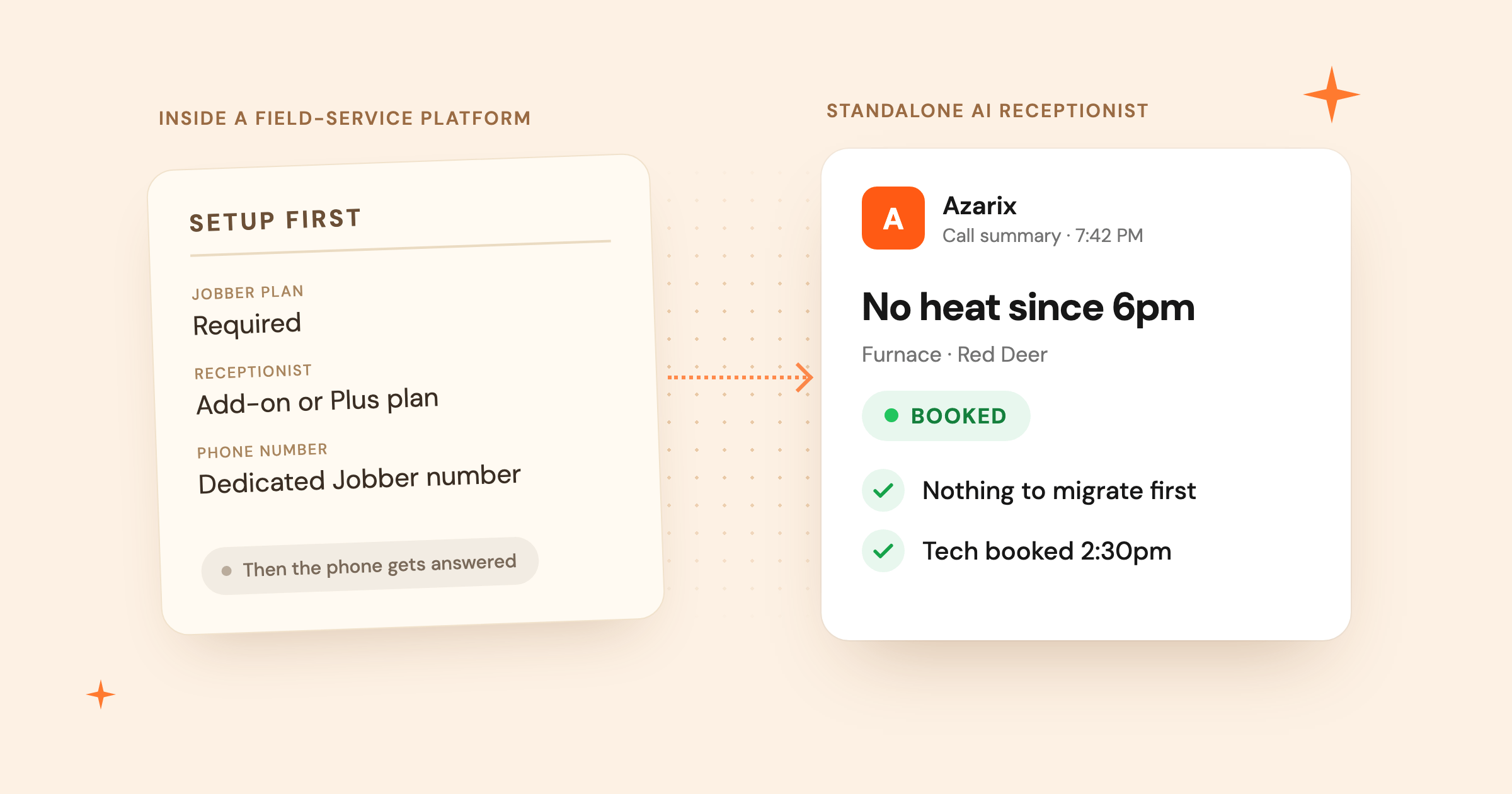
Best for a trades business that wants a standalone receptionist, trade-specific call flows, and no field-service platform migration.
Best for an existing Jobber customer who wants calls, texts, requests, and scheduling handled inside the same system.
Side-by-side
Azarix vs. Jobber AI Receptionist
5 buying differences, scored with a verdict per row instead of a flat checklist.
Azarix wins 4 of 5 scored differences
| Feature | Azarix | Jobber AI Receptionist | Verdict |
|---|---|---|---|
| Bilingual FrenchBilingual coverage matters if callers in Quebec or francophone communities elsewhere in Canada expect service in French. | Yes: English and French call support | Partial or conditional: French call support not documented | Azarix |
| Platform requiredDetermines whether you need to adopt a full field-service platform just to get the phone answered. | Yes: No field-service platform required | No: Requires a Jobber plan | Azarix |
| Trade-specific flowsDecides whether a no-heat call, a burst pipe, and a routine tune-up get treated differently on the phone. | Yes: Configured around the trade and call type | Partial or conditional: Uses Jobber profile and booking settings | Azarix |
| Pricing (from), in CADThe lowest published monthly cost, converted to a single currency so the comparison isn't misleading. | Yes: CA$79/mo annual, CA$99/mo no commitment | Partial or conditional: ≈CA$82/mo annual, ≈CA$111/mo no commitment (from US$58 / US$78) | Azarix |
| Jobber integrationWhether you can keep Jobber for scheduling and invoicing while switching phone answering to a more trade-specific system. | Partial or conditional: On the roadmap; not available yet | Yes: Native — same platform | Competitor |
What is the best Jobber AI Receptionist alternative?
If your business already runs on Jobber, its Receptionist deserves a serious look. It can answer calls and texts around the clock, create requests, book work through your Jobber settings, reschedule visits, and transfer urgent calls. Those actions land directly in the system your team already uses. That is real convenience, not a feature-sheet technicality.
The trade-off is just as clear: Receptionist is part of Jobber. You need a Jobber subscription and a dedicated Jobber phone number, even if callers keep reaching you through your existing number by call forwarding. For a shop that does not want Jobber as its operating system, the receptionist is not a standalone purchase.
Azarix takes the narrower route. It focuses on answering service calls, qualifying the work, booking or routing the job, and sending the caller a confirmation. You can keep your current field-service setup, or start without one. See the full Azarix pricing to compare what a standalone receptionist plan actually includes.
Where Jobber Receptionist is genuinely strong
Jobber has an advantage that a standalone receptionist cannot pretend away: context. Its Receptionist can use the company profile, business profile, FAQs, online booking form, existing client records, and scheduling rules already stored in Jobber. A returning caller can be recognized by phone number. A visit can be booked against the same calendar the crew sees. A conversation can create a request or follow-up task without another integration sitting in the middle.
The call handling is broader than voicemail replacement. Jobber documents concurrent calls, call and text coverage, appointment cancellations and rescheduling, spam filtering, conversation summaries, transcripts, recordings, and escalation rules. An owner can choose trigger phrases such as “emergency” or “speak to a manager,” then have the call transferred or receive a text with context.
Setup also benefits from the data already in the account. Jobber builds the Receptionist’s knowledge from business settings and booking configuration, then lets the owner adjust the greeting, information sources, active hours, actions, and escalation policy. For a business already committed to Jobber, keeping the receptionist inside that workflow can be simpler than connecting a separate tool.
Where does Jobber fall short as a phone-first choice?
The first limitation is dependency, not call quality. Jobber’s public help documentation says a Jobber plan and a dedicated Jobber phone number are required. You can forward your existing number, but the receptionist still runs through Jobber. If you only need the phone answered, you are buying into a wider platform before you solve that one problem.
The second difference is how call logic gets designed. Jobber is purpose-built for home services and even publishes an emergency HVAC booking demo, so it would be unfair to call it a generic office receptionist. Its documentation shows that booking follows your online booking form and that escalation follows terms you configure. What it does not publicly document is a library of distinct, pre-built call flows that change by trade, urgency, and job type.
Azarix starts with that call-level distinction. A no-heat call in an HVAC emergency should not follow the same path as a spring tune-up. A burst pipe should surface shutoff status and active damage before anyone offers a routine slot. A lockout needs location and access details without turning the call into a long intake form. The point is not to ask more questions. It is to ask the few questions that decide whether to book, dispatch, or wake someone up.
There is also a language gap on Jobber’s side. Jobber’s public Receptionist documentation does not currently describe French call support. Azarix answers in English and French today, which matters for callers in Quebec or francophone communities elsewhere in Canada.
Azarix also has native Jobber integration on its roadmap. The goal is to let a Jobber shop keep Jobber for scheduling, invoicing, and client records while Azarix handles the phone, without a manual re-entry step. It has not shipped yet, so today the two systems run side by side rather than synced.
Incoming call · your business line
“Furnace stopped, can someone come today?”
Jobber Receptionist
- Jobber plan
- Required
- Receptionist
- Add-on, or Plus plan
- Phone number
- Dedicated Jobber number
Answered inside Jobber
Uses your Jobber records and booking settings
Azarix
- Field-service platform
- Not required
- Current setup
- Kept as-is
Answered, qualified, booked or routed
Caller gets a confirmation of the next step

Nothing to migrate before the phone gets answered
Jobber AI Receptionist pricing, explained
As of October 11, 2026, Jobber lists Receptionist at US$29 per month on select plans. That includes 30 conversations; additional conversations are US$0.79 each. Jobber says spam and calls with no real interaction do not count. The Plus plan includes unlimited Receptionist usage.
The add-on price is not the whole monthly cost. Jobber’s lowest advertised annual price is US$29 per month for Core, and Receptionist adds another US$29. That makes the lowest published combination US$58 per month when billed annually. On no-commitment monthly billing, Core is listed at US$49, bringing the combination to US$78 before overages and tax. Plus starts at US$399 per month when billed annually and includes Receptionist along with the broader platform and up to 15 users.
Azarix has two published rates: CA$99 per month with no commitment, or CA$79 per month billed annually. That is a standalone receptionist plan with an included call allowance, not a field-service platform bundle. See the current Azarix plans for what is included at each rate.
Comparing sticker prices across currencies can mislead, so convert to one currency before judging who is cheaper. At the mid-market USD/CAD rate of about 1.42 (XE, checked October 11, 2026), Jobber’s lowest annual combination of roughly US$58 becomes about CA$82 per month, and its no-commitment combination of roughly US$78 becomes about CA$111 per month. Both land above Azarix’s matching CAD rate. Card and bank exchange rates vary, so treat this as directional and re-check both vendors’ pricing pages before you commit.
Neither product has a permanent free tier. Jobber advertises a 14-day trial with Grow features. Azarix offers a live HVAC call demo so you can hear the conversation before deciding. A trial is useful, but it is not the same as a free ongoing plan.
Jobber figures are converted from published USD prices at the mid-market rate; Azarix prices are already quoted in CAD. Actual card and bank rates vary. Source: Jobber pricing page (USD), Azarix pricing page (CAD), and XE USD/CAD mid-market rate, checked October 11, 2026.
Prices are shown in the vendors’ published currencies and exclude applicable tax.
Who should choose Jobber?
Choose Jobber Receptionist if Jobber is already the source of truth for your customers, calendar, requests, and crew. The receptionist’s strongest advantage is that it can act on that data without a separate integration. Existing clients can be recognized, appointments can be changed, and follow-up work appears where the office already looks.
Jobber also makes sense if you are shopping for a full field-service platform anyway. Core includes quoting, invoicing, online booking, reporting, and an app marketplace. Higher tiers add deeper automation, team features, profitability tools, marketing, and pipeline management. In that buying decision, Receptionist is one useful part of a larger system rather than the only reason to subscribe.
Finally, choose Jobber if your call handling is well represented by the booking forms, business information, and escalation rules you already maintain there. That setup can be fast, and your team has fewer systems to learn.
Who should choose Azarix?
Choose Azarix if you want the phone answered without moving your scheduling, invoicing, client records, and crew into a new field-service platform. It works as the focused layer at the front of the business: answer, qualify, book or route, then confirm the next step with the caller.
Azarix is also the better fit when the differences between calls matter more than a long list of back-office features. The conversation should change when the furnace is out at -20°C, water is actively spreading, or a caller is outside a locked home. Those are operating decisions. A row of intake fields cannot make them for you. Missed calls carry a real cost for trades businesses, which is the problem a phone-first receptionist is built to solve first.
That focus does come with limits. Azarix does not replace Jobber’s quoting, invoicing, payments, profitability reporting, website builder, or team scheduling, and a native Jobber integration is on the roadmap rather than shipped today. If you need a complete business-management system, Jobber is broader. If you need to stop the next good service call from going to voicemail, Azarix is built around that narrower job.
A fair way to decide
Run the same calls through both products. Start with a routine maintenance request. Then try an urgent HVAC call, interrupt mid-sentence, change the address, and ask for a person. Listen for whether the receptionist gets the few facts your dispatcher actually needs and whether the next action lands in the right place.
If Jobber is already your operating system, include workflow convenience in the score. If it is not, include the cost and effort of adopting the platform. Do not decide from a synthetic voice sample alone. A pleasant voice that takes the wrong action still leaves the office cleaning up the call.
For an HVAC example, use the Azarix live demo and compare the actual booking conversation. Or browse other product comparisons if Jobber is not the only alternative on your shortlist. The product should make the argument: the phone gets answered, the caller gets a clear next step, and your team gets enough context to do the job.
Compare the actual call
Hear how Azarix handles an HVAC booking
Try the live call flow, interrupt it, change your answer, and see whether the next step still makes sense.
Open the HVAC demoFAQ
Jobber AI Receptionist questions
What is the best Jobber AI Receptionist alternative for trades?
Azarix is a focused alternative for a trades business that wants calls answered and jobs booked without adopting a field-service platform. Jobber is often the better choice for an existing Jobber customer who wants the receptionist connected directly to Jobber records and scheduling.
How much does Jobber AI Receptionist cost?
As of October 11, 2026, Jobber lists Receptionist at US$29 per month for 30 conversations on select plans, plus US$0.79 for each additional conversation. A Jobber subscription is also required. Plus includes unlimited Receptionist usage.
Can I use Jobber AI Receptionist without Jobber?
No. Jobber documents Receptionist as an add-on to select Jobber plans or as an included Plus feature. It also requires a dedicated Jobber phone number, although you can forward calls from your existing business number.
Does Jobber AI Receptionist book jobs?
Yes. Jobber says Receptionist can book jobs using the account’s online booking settings, create requests, reschedule or cancel appointments, take messages, and escalate calls based on configured terms.
Does Jobber AI Receptionist speak French?
Jobber’s current public Receptionist product and help documentation does not describe French call support. Azarix answers calls in English and French today, which is relevant for callers in Quebec or other francophone communities in Canada.
Is Azarix cheaper than Jobber Receptionist?
In CAD, yes at both billing terms. Azarix is CA$79/mo annual or CA$99/mo no commitment. Jobber's lowest combination converts to about CA$82/mo annual or CA$111/mo no commitment (from US$58 / US$78 at the mid-market rate, October 11, 2026). Jobber also requires an active Jobber plan; Azarix is a standalone receptionist.
Does Azarix integrate with Jobber?
Not yet. Native Jobber integration is on the Azarix roadmap, so a Jobber shop can eventually keep Jobber for scheduling and invoicing while Azarix handles the phone. Until it ships, the two systems run side by side without an automatic data sync.
Research notes
We compared current public pricing, product pages, and help documentation. Jobber's USD prices are also converted to CAD at the mid-market rate for a same-currency comparison; treat converted figures as directional. We did not use paid placements, customer ratings, or features that could not be verified.
Sources
- Jobber pricingPlan prices, annual and monthly billing, trial terms, and Receptionist add-on price.
- Jobber Receptionist product pagePublished capabilities for calls, texts, booking, transfers, and concurrent conversations.
- Jobber Receptionist help centreUsage pricing, dedicated-number requirement, information sources, actions, and escalation setup.
- Azarix pricingCurrent Azarix plans and included call allowances.
- XE USD/CAD currency converterMid-market USD/CAD rate used to convert Jobber's USD prices to CAD, checked October 11, 2026.
Disclosure: Azarix wrote this comparison. We build an AI receptionist for trades businesses, so we have a stake in the choice. The Jobber details below come from Jobber’s public pricing, product, and help pages.